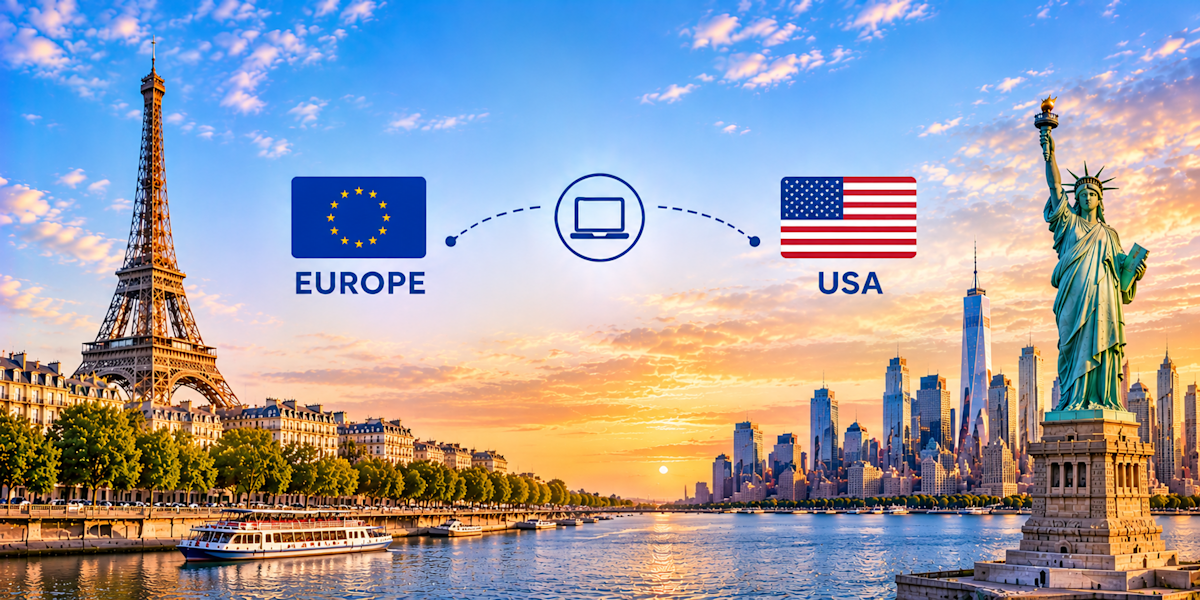
Since August 2025, every laptop sent to the United States goes through a customs entry, whatever its value: the $800 de minimis exemption is suspended. To ship a laptop from the EU to the United States for a remote employee, document the export under your EORI, give the courier an importer number for the employee, and book duties and fees to your company. Laptops remain duty-free at the standard US rate, so the cost is mostly fees.
Estimated time: about 1 hour per device · Level: intermediate · Prerequisites: your company's EORI number, the employee's US address and an importer number (SSN, EIN or CBP-assigned), the device's model, serial number and country of origin · Verified on: EU customs, CBP and USITC rules as of November 2026
What you need before shipping to the US
US customs asks for an importer identity on every entry, and the country of origin of the laptop, not the country it ships from, decides which tariffs apply. Collect both before booking, together with your EORI for the European export and the employee's address in the format US carriers expect.
Your company's EORI number, used on EU export declarations.
The employee's full name, phone number and US address with state abbreviation and ZIP code.
An importer number for the consignee: the employee's SSN, an EIN, or a CBP-assigned number obtained through CBP Form 5106 (often handled by the courier).
Device details: brand, model, serial number, value in euros and country of origin (where it was manufactured, often China, Taiwan or Vietnam).
A courier account that accepts laptops with lithium batteries to the US, with duties and fees billable to the sender.
Step 1: Check the tariff situation for your laptop's origin
A laptop entering the US is classified under HTS 8471.30.0100, which carries a "Free" general duty rate. Additional tariffs depend on the country of origin, and laptops have been carved out of the main 2026 measures. Check the origin printed on the device or its box, then confirm the rate with your carrier at booking.
The general rate for HTS 8471.30.01.00 is free (USITC HTS). The tariff landscape has moved fast:
The Supreme Court ruled on 20 February 2026 that IEEPA does not authorize tariffs, ending the 2025 reciprocal tariffs, including the 15% EU ceiling (Thomson Reuters).
Since 24 July 2026, Section 301 duties apply to goods from 60 economies, with EU goods capped at 10% including the standard duty (Federal Register, 91 FR 47318). Computers are listed among the excluded products in CBP's implementing guidance (CSMS #69326983).
For a standard laptop, the result is no duty whether it was made in the EU or in Asia. Because these measures are under legal challenge and new investigations are open, ask the carrier to confirm the rate on the day you ship.
How to check it worked: you know the laptop's country of origin and the carrier has confirmed the duty rate it will apply.
Step 2: Prepare and secure the laptop
Prepare the laptop so it works the day it arrives and is protected if it is delayed in transit. Enroll it in your device management tool, encrypt the disk and strip anything the employee does not need, then note the serial number for the invoice.
Enroll the device in your MDM so it can be locked or wiped remotely.
Turn on disk encryption (FileVault on macOS, BitLocker on Windows).
Remove local admin accounts, saved passwords and data the employee does not need.
Record the serial number: it goes on the invoice and customs may compare it with the device.
How to check it worked: the device shows as managed and encrypted in your MDM console, and the serial number is recorded.
Step 3: Handle the EU export and VAT-free invoice
From the EU, an express consignment worth up to EUR 1,000 is deemed declared for export when it leaves, based on its transport documents. Most business laptops are worth more, so a standard export declaration under your EORI is filed, usually by the carrier, and generates an MRN. That proof of exit supports a VAT-free invoice.
Up to EUR 1,000: the transport document acts as the export declaration (European Commission).
Above EUR 1,000: a standard export declaration is filed and generates an MRN.
VAT. Goods shipped outside the EU can be invoiced without VAT under Article 146 of the VAT Directive, provided the exit is proven (EUR-Lex). If an EU reseller ships directly to the US, ask for a VAT-exempt export invoice.
Encryption. Mass-market laptops meet the Cryptography Note of the EU dual-use list, so no export licence is needed (EU dual-use guidance).
How to check it worked: you hold the transport document or MRN, and the invoice shows no EU VAT where the export is documented.
Step 4: Set up the US importer and the entry
With no de minimis, the laptop is cleared on an informal entry if it is worth $2,500 or less, or a formal entry with a customs bond above that. Either way, CBP needs an importer of record identified by a number. Decide with the carrier whose number it will be before pickup.
The de minimis exemption has been suspended for all countries since 29 August 2025, and CBP made the suspension indefinite in June 2026 (Federal Register). Informal entry applies up to $2,500 (19 CFR 143.21).
Employee as consignee and importer. The courier clears the laptop with the employee's SSN or a CBP-assigned number from Form 5106. Most express carriers handle the form on request.
Your company as importer. A foreign company can act as non-resident importer of record, with a US agent for service of process. This suits repeat shipments; ask a customs broker to set it up.
Wireless compliance. Retail laptops already carry FCC authorization; the separate FCC Form 740 import declaration has not been required since 2017 (Federal Register).
How to check it worked: the carrier has confirmed the importer of record and the number it will use for the entry.
Step 5: Write the invoice and book with fees billed to you
The commercial invoice drives the US entry: CBP reads the description, value and country of origin from it. Book with duties and fees billed to the sender (DDP) so that the employee is not asked to pay the courier's processing fee before delivery.
Include on the invoice: "Laptop computer" with brand and model, HTS 8471.30.0100, serial number, real value, country of origin, the employee's name and address, and the purpose: company equipment provided to an employee, not for resale. Never mark the parcel as a gift.
Even at a 0% duty rate, an informal entry carries a Merchandise Processing Fee: $2.77 for an automated entry since 1 October 2026 (Federal Register, CBP Dec. 26-14). Couriers add their own clearance or disbursement charge on top. Under DDP, both go on your account.
How to check it worked: the invoice states the country of origin, and the booking shows duties and fees billed to your company.
Step 6: Pack the laptop and declare the lithium battery
A laptop travels with its lithium-ion battery installed, which makes it a regulated item for air transport. Most business laptops use batteries of 100 Wh or less, covered by the simplified rules for batteries contained in equipment. Pack it so it cannot move or switch on.
Section II of IATA Packing Instruction 967 covers lithium-ion batteries contained in equipment with at most 20 Wh per cell and 100 Wh per battery (FAA lithium battery chart).
Switch the laptop off completely (not in sleep mode) and pack it with its charger.
Use a rigid box with cushioning on all sides, ideally the original packaging inside a second carton.
Declare the lithium battery when booking; the carrier adds the UN3481 handling mark.
The US uses Type A and Type B sockets at 120 V. European laptop chargers rated 100–240 V work with a US power cable or plug adapter.
How to check it worked: the carrier has accepted the booking with the battery declared, and a US plug solution is in the box.
Step 7: Track the EU exit and US release
The parcel passes the EU office of exit, which confirms the export, and CBP clearance, where the entry is filed and fees are paid. Keep the MRN or transport document for the first, and make sure the importer number and country of origin are on file for the second.
US addresses need the state abbreviation and a 5-digit ZIP code; check apartment or suite numbers with the employee. When the laptop is delivered, ask them to power it on and confirm it reports in your MDM. File the invoice, air waybill, EU export proof and entry receipt together.
How to check it worked: the device is delivered, powered on and reporting in your MDM console.
Common mistakes and how to fix them
Most problems on this route come from outdated assumptions: the $800 de minimis, the 2025 reciprocal tariffs, or the idea that the shipping country decides the duty. The rest are paperwork gaps on either side of the Atlantic.
Mistake | Fix |
|---|---|
Assuming a laptop under $800 clears without an entry | Plan an informal entry for every laptop, with an importer number |
Declaring the EU as country of origin for a laptop made in Asia | Use the manufacturing country printed on the device or box |
No importer number for the employee | Provide an SSN, or ask the carrier to file CBP Form 5106 |
Courier fees billed to the employee on delivery | Book DDP so duties and fees go to your account |
No export declaration or EORI for a laptop above EUR 1,000 | Let the carrier file it under your EORI and keep the MRN |
Going further
Returns deserve a plan: a laptop going back to Europe can qualify for EU returned goods relief if the export documents show it left the EU, and a US-made device returning to the US has its own provisions. Ask your carrier before setting up a return process.
The US tariff landscape has changed several times since 2025, and pending Section 301 investigations could change it again. Re-check the duty rate and the de minimis status before each wave of shipments rather than relying on a past quote. At scale, Fleet delivers IT equipment to employees in 150+ countries, pre-configured through zero-touch enrollment (Fleet). The complete guide to shipping a laptop to a remote employee covers the rules that apply everywhere.
Recap checklist
Country of origin identified; duty rate confirmed with the carrier
Device enrolled in MDM and encrypted, serial number recorded
EORI ready; export declaration and MRN if above EUR 1,000
VAT-exempt export invoice requested if applicable
Importer of record and number confirmed (SSN, EIN or Form 5106)
Invoice with HTS 8471.30.0100 and country of origin; DDP booked
Lithium battery declared, US plug solution in the box
Delivery confirmed in MDM, documents filed together
Equip your US team from Europe with Fleet
Shipping a laptop from the EU to the US now means a customs entry for every device, an importer number for each employee, a country-of-origin check against tariffs that changed three times in a year, and an export declaration under your EORI on the way out. It works manually, but every shipment repeats the same steps and the same fees.
Fleet runs the process end to end in one platform, across 150+ countries, from the moment someone signs their offer to the day they leave:
Delivery in the US: devices delivered to employees in 3 to 5 working days
Ready on day one: laptops arrive pre-configured through zero-touch enrollment, with your security policies applied by Fleet's MDM
Onboarding and offboarding: order, deliver, store, transfer and redeploy devices from one place, without a local supplier per country
Connected tools: the Fleet API connects Fleet to your existing tools
Fixed monthly budget: a monthly subscription with no upfront investment, with IT costs moved to OPEX
Book a demo and see how Fleet helps you equip teams in the US from Europe.
FAQ
Is the $800 de minimis still available for a laptop shipped to the US?
No. The de minimis exemption has been suspended for all countries since 29 August 2025, and CBP made the suspension indefinite in June 2026. Every laptop is cleared through an entry, informal up to $2,500 and formal above.
Do I pay customs duty on a laptop shipped from Europe to the US?
Laptops under HTS 8471.30.0100 carry a free general duty rate, and computers are excluded from the Section 301 duties in force since July 2026. In practice the cost is the Merchandise Processing Fee and the courier's clearance charge, which you can bill to your company.
Does my employee need an SSN to receive a laptop from abroad?
CBP needs an importer number for the consignee. The employee's SSN works; without one, the courier can obtain a CBP-assigned number through Form 5106. Your company can also act as non-resident importer of record with a US agent.
Which country of origin goes on the invoice?
The country where the laptop was manufactured, not the country it ships from. A laptop bought in Germany but made in China has China as its origin, and that is what US tariff rules look at.
Conclusion
From the EU, a laptop reaches an employee in the US smoothly when the export is documented under your EORI, the invoice states the real country of origin, an importer number is ready for the entry and duties and fees are billed to your company.
See how Fleet handles this in practice
200+ devices, sourced locally and delivered pre-configured to 150 countries — buy or lease, same price.